हर भुगतान। एक प्लेटफॉर्म।
ऑनलाइन, टर्मिनल और Tap to Pay से भुगतान लें, जमा राशि स्वीकार करें, भुगतान बाँटें, इनवॉइस बनाएँ, रिफ़ंड दें, स्टोर क्रेडिट लगाएँ और रकम को जुड़े हुए खातों तक पहुँचाएँ। हर भुगतान अपने ऑर्डर या बुकिंग से जुड़ा रहता है।
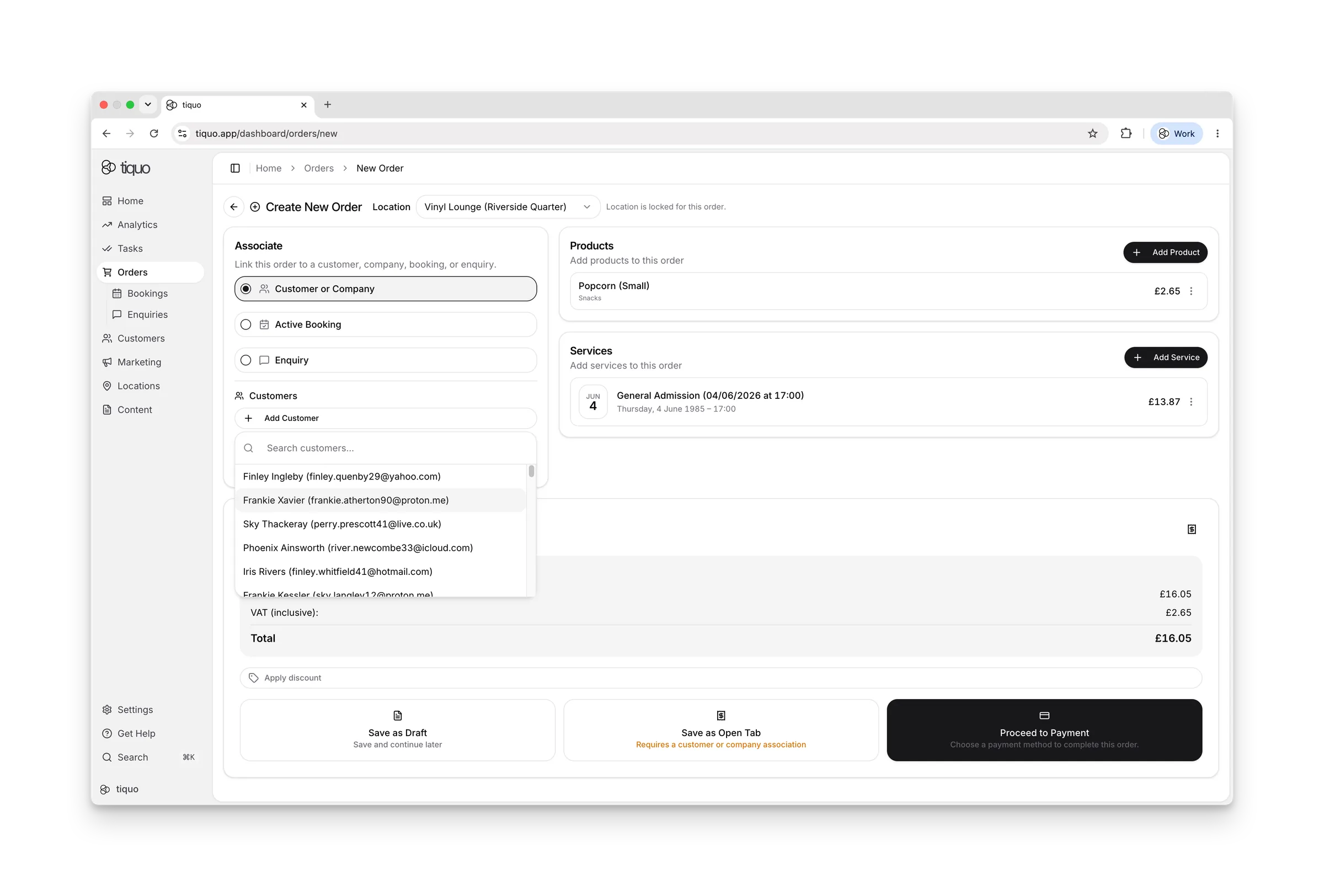
Stripe-संचालित सुरक्षा के साथ आतिथ्य के लिए बने भुगतान फ़ीचर।
ग्राहक जिस भी तरीके से भुगतान करना चाहें।
ऑनलाइन, जुड़े हुए टर्मिनल और iPhone पर Tap to Pay के ज़रिए प्रमुख कार्ड और समर्थित डिजिटल वॉलेट स्वीकार करें। उपलब्ध तरीके देश, मुद्रा और जुड़े Stripe खाते के अनुसार अलग हो सकते हैं।
राजस्व-सुरक्षित जमा।
नो-शो कम करने और राजस्व सुरक्षित करने के लिए जमा या आंशिक भुगतान एकत्र करें। सेवा, सीज़न या ग्राहक प्रकार के अनुसार नियम सेट करें।
स्वचालित समाधान, शून्य स्प्रेडशीट।
बुकिंग, ऑर्डर, भुगतान, सदस्यता और लॉयल्टी एक ही संचालन रिकॉर्ड इस्तेमाल करते हैं। इससे Tiquo अलग-अलग प्रणालियों के डेटा का मिलान कम करता है और सभी भुगतानों को सीधे उनके ऑर्डर से जोड़कर अपने आप हिसाब मिला देता है।
Stripe संचालित सुरक्षा।
Stripe एक PCI DSS Level 1 सेवा प्रदाता है। Tiquo भुगतान जानकारी लेने के लिए Stripe पर होस्ट किए गए या टोकन वाले तरीके इस्तेमाल करता है, इसलिए कार्ड की पूरी जानकारी Tiquo में संग्रहीत नहीं होती।
| ID | Customer | Amount | Status | Time |
|---|---|---|---|---|
| pi_3Qx...kF2 | Emma Collins | £120.00 | succeeded | 14:20 |
| pi_3Qx...mG4 | James King | £59.00 | succeeded | 13:45 |
| pi_3Qx...nH7 | Lily Torres | £215.00 | pending | 12:30 |
| pi_3Qx...pJ9 | Sarah Mitchell | £85.00 | succeeded | 11:15 |
तेज़ भुगतान। कम परेशानियां।
समाधान पर खर्च किए गए समय में कमी
जब डिपॉज़िट एकत्र किए जाते हैं तो कम नो-शो
आपके बैंक खाते में तेज़ सेटलमेंट
ब्रांडेड चालान, स्वचालित रूप से जनरेट।
सेवाओं के बाद या शेड्यूल पर पेशेवर चालान भेजें, बिना मैन्युअल प्रयास के।
किसी मैनुअल काम की आवश्यकता नहीं।
तत्काल भुगतान के लिए पे-बाय-लिंक।
हर चालान में एक सुरक्षित भुगतान लिंक शामिल है ताकि ग्राहक सीधे अपने ईमेल से भुगतान कर सकें।
स्वचालित रिमाइंडर जो आपको भुगतान दिलाते हैं।
भुगतान का पीछा किए बिना नकदी प्रवाह सुधारने के लिए बकाया चालानों के लिए रिमाइंडर सेट करें।
आतिथ्य के संचालन के लिए बने भुगतान।
स्प्लिट भुगतान आसान बनाएँ।
अतिथियों को कई कार्ड या तरीकों से भुगतान विभाजित करने दें, समूहों और कार्यक्रमों के लिए आदर्श।
लौटने वाले अतिथियों के लिए सहेजे गए कार्ड।
सुरक्षित टोकनाइज़ेशन दोहराने वाले ग्राहकों के लिए तेज़ चेकआउट सक्षम करता है, कार्ड Stripe के माध्यम से सुरक्षित रूप से स्टोर होते हैं।
रीयल-टाइम राजस्व अंतर्दृष्टि।
लाइव डैशबोर्ड राजस्व, रिफ़ंड और बकाया शेष दिखाते हैं, ज़रूरत पड़ने पर एक्सपोर्ट के लिए तैयार।
आपके ऑपरेशन के हर हिस्से के लिए एक प्लेटफॉर्म।
भुगतान, बुकिंग, सदस्यताएं, और अधिक, सभी एक साथ काम करने के लिए डिज़ाइन किए गए।
एक जुड़े हुए सिस्टम में रिज़र्वेशन, उपलब्धता और शेड्यूलिंग।
और जानें →आवर्ती सब्सक्रिप्शन, लॉयल्टी सुविधाएं, और सदस्य लाभ।
और जानें →निर्बाध बार-बार भुगतान के लिए संग्रहीत क्रेडिट और डिजिटल वॉलेट।
और जानें →केंद्रीकृत नियंत्रण और एकीकृत रिपोर्टिंग के साथ कई स्थानों का प्रबंधन करें।
और जानें →